
Introduction and Objective
This article outlines how to improve email marketing sign-up forms, welcome emails, AI-assisted content creation, and reusable email campaigns. The goal is to help you create clearer, more compelling, and more efficient email marketing that reflects your business’s brand voice and drives sign-ups and engagement.
The content is from a short video I made for a Booksellers Conference. You can watch the full 7-minute video here.
Key Steps
1. Review and rewrite the email sign-up form message 0:17
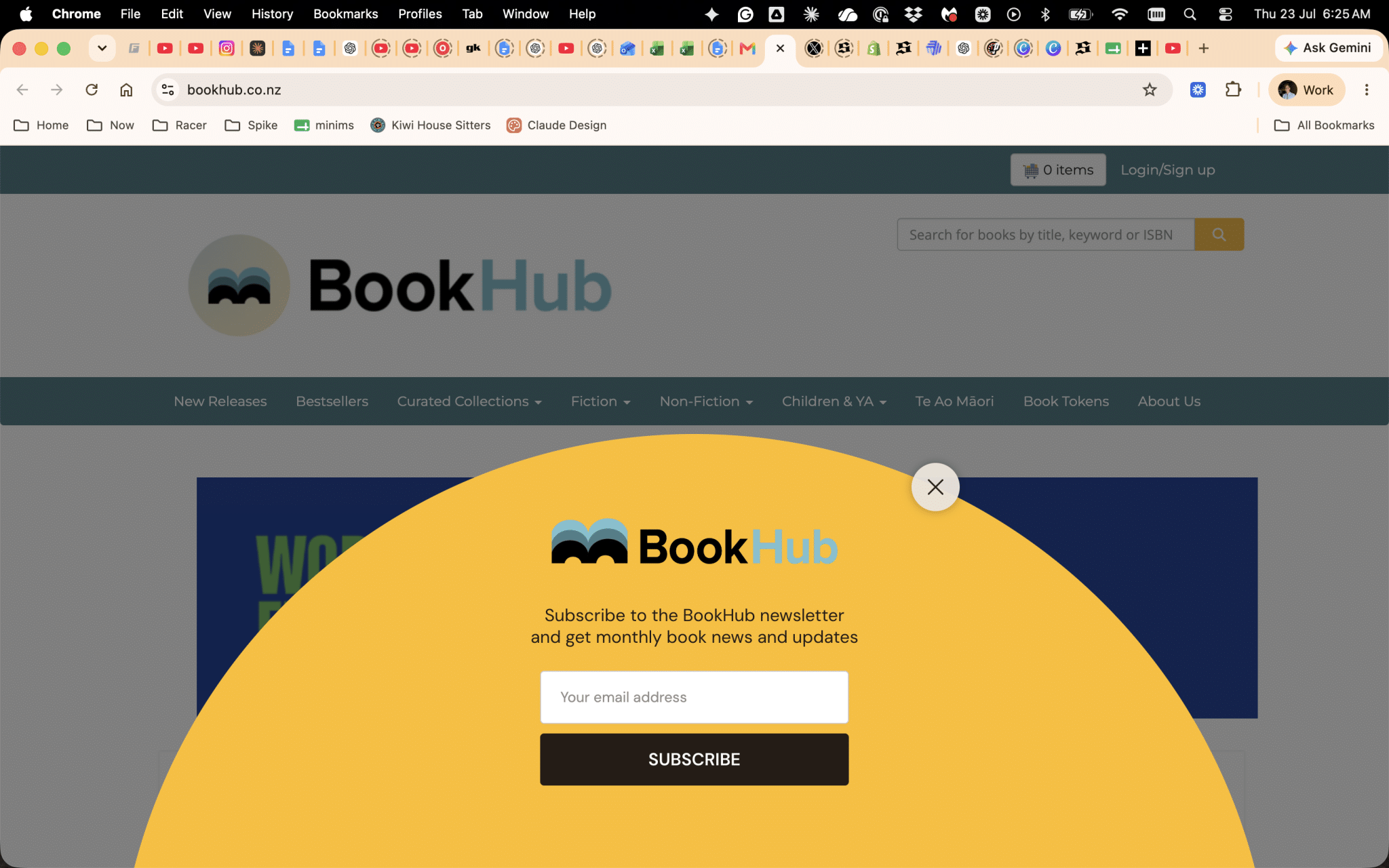
- Audit the current sign-up form wording.
- Replace generic language like “subscribe” with clearer, more accurate wording such as “sign up” or “join”.
- Focus the message on the value the user will receive, not just the action they are taking.
- Make the offer specific and compelling, for example:
- monthly book news and updates
- access to events
- community benefits
- exclusive content or resources
- If possible, draft the wording by imagining what a staff member would say to a customer in person.
2. Align the sign-up form copy with the welcome email 2:02
- Compare the wording on the website sign-up form with the wording in the welcome email.
- Make sure both messages use the same brand language and tone.
- If the welcome email says “welcome to the [brand] whānau”, consider using that same phrasing on the sign-up form.
- Ensure the promise made on the form matches what the subscriber actually receives after signing up.
- Use the welcome email as a model for stronger, more engaging copy.
3. Reframe the sign-up offer as a downloadable resource 2:52

- Consider offering a practical download instead of only a newsletter subscription.
- Create a simple resource that helps the user get value immediately, such as:
- a guide to using the website
- 4 or 6 steps to get started
- a quick tips sheet
- Position the offer as something useful and actionable.
- Use the download to encourage sign-ups by showing clear benefit upfront.
- Keep the language benefit-led and easy to understand.
4. Use AI as a support tool, not a replacement for judgment 3:26
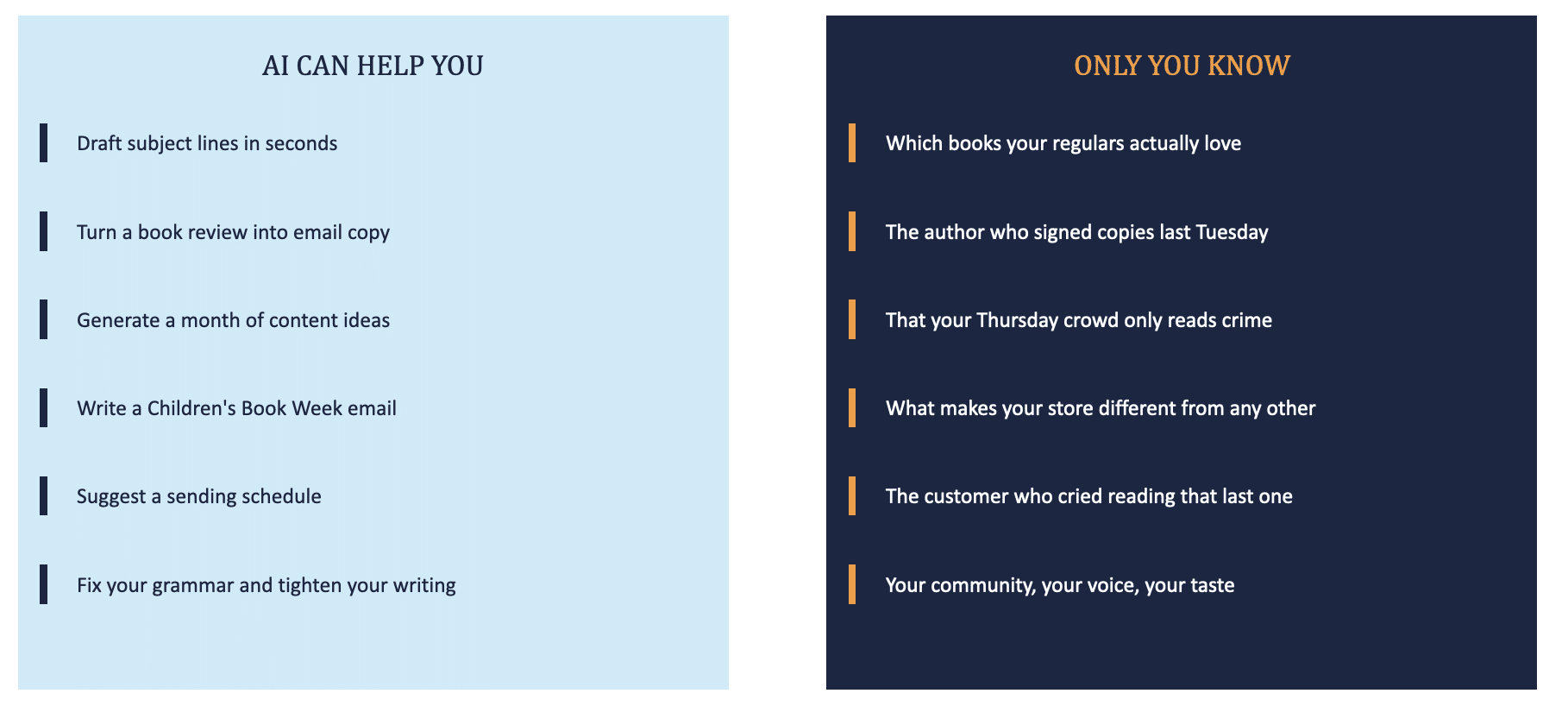
- Treat AI as a helper for drafting, brainstorming, and organizing ideas.
- Act as the editor or curator of the output.
- Write better prompts to get better results.
- Remember that AI tools are large language models, so they still need human review.
- Use AI for tasks such as:
- generating subject lines
- turning book reviews into email copy
- drafting landing pages
- suggesting sending schedules
- creating image prompts
5. Use data and brand knowledge to guide AI prompts 4:22
- Upload relevant data, such as the last 90 days of Google Analytics, to identify what people are searching for.
- Use those insights to decide what email topics to send.
- Combine website analytics with email performance data to improve both email and SEO strategy.
- Prompt AI to help identify:
- popular books
- audience interests
- recurring customer behavior
- content themes that perform well
- Keep the store’s unique voice, community, and taste central to the content.
6. Build recurring email content from proven themes 5:15
- Create repeatable content categories that can be reused in future campaigns.
- Examples include:
- staff picks
- award news
- events and signings
- seasonal moments
- honest book recommendations
- Add personality by explaining why a staff member chose a book.
- Use a format like one person, one book, one honest opinion.
- Keep the content human and specific so it reflects the store’s identity.
7. Repurpose previous email content instead of starting from scratch 5:41

- Review last year’s email campaigns before creating new ones.
- Reuse strong ideas, updating them where needed.
- Remember that new subscribers did not see previous campaigns.
- Refresh older content with updated opinions, new examples, or current events.
- Store past content in a way that makes it easy to search and reuse later.
8. Use AI to learn from past content and improve future drafts 6:01
- Load previous email content into AI tools to help generate better ideas.
- Set up reusable instructions or skills where possible.
- Use AI to identify patterns in tone, structure, and topic performance.
- Let the tool learn the brand style over time so future drafts become more relevant.
- Review all AI-generated content before publishing.
9. Provide a simple support checklist for email platform users 6:17
- Create a short support document for common email platform questions.
- Include simple troubleshooting steps.
- Add contact details for further help.
- Make the checklist easy to scan and use.
- Keep it available for staff who need quick Mailchimp or email marketing support.
Cautionary Notes
- Do not use the word “subscribe” if it does not accurately describe the user action or value exchange.
- Avoid making the sign-up offer too vague; users should immediately understand what they will get.
- Do not rely on AI output without human review and editing.
- Be careful not to lose the brand’s unique voice by over-automating content creation.
- Ensure the welcome email and sign-up form are consistent in tone, promise, and terminology.
- Do not create new content unnecessarily if strong past content can be refreshed and reused.
Tips for Efficiency
- Reuse last year’s successful email content as a starting point.
- Keep a library of staff picks, event announcements, and seasonal templates.
- Use AI to draft first versions, then edit for accuracy and brand voice.
- Upload analytics data regularly so content decisions are based on current behavior.
- Save common prompts for subject lines, summaries, and image generation.
- Turn useful welcome-email content into downloadable resources to increase sign-up value.
